Installation Steps
- Install kdb and Python extensions in VS Code. The Python extension installs Python Environments with it, which is where the REPL finds your environment.
- Install KDB-X from welcome page.
- Open a workspace folder in VS Code.
- Create or select a Python environment for the folder through the command palette or the Python Environments view.

- Start a VS Code terminal and install PyKX and q integration in the selected environment:
pip install --upgrade pykx
python -c "import pykx;pykx.install_into_QHOME(to_local_folder='$HOME/.kx')"
- Start KX REPL and test your installation:
\l pykx.q
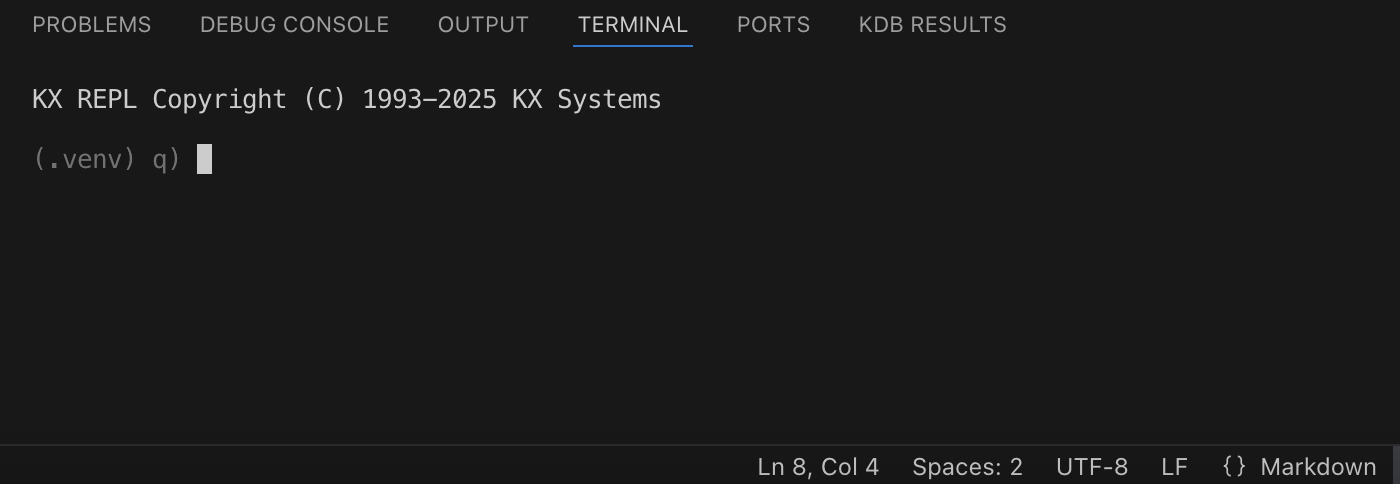
How the REPL uses the environment
When a REPL starts, it asks Python Environments for the environment selected for its folder: the workspace folder for KX: Start REPL, the folder you picked for KX: Start REPL Here, so each project folder can have its own.
- The environment is activated before q starts, the way a VS Code terminal activates it, and its name is shown before the prompt. An environment with nothing to activate starts without a name. If the activation fails, its error is shown in the REPL and q starts without the environment.
PYKX_EXECUTABLEis set to the environment’s Python, so\l pykx.qloads PyKX from that environment. APYKX_EXECUTABLEalready set, for example in the.envfile at the root of the workspace folder, is kept. When the path to the environment’s Python contains spaces it is not set, and PyKX uses thepythonthe activation puts first on the path.- A REPL keeps the environment it started with. After selecting another one, close the REPL and start it again.
If Python Environments is not installed, or is turned off with
python.useEnvironmentsExtension, the REPL starts without an environment. Set
PYKX_EXECUTABLE to the path of the Python to use in a .env file at the root
of the workspace folder instead.
Windows
KDB-X runs in WSL. Open the folder in WSL, with WSL: Open Folder in WSL…
or code . from a WSL shell, and install the Python extension in WSL when VS
Code offers to. The REPL, KDB-X, the Python environment and PyKX then all run
inside WSL, and the steps above apply unchanged.
Without WSL, KDB-X is not available and the REPL uses kdb+ instead:
- In step 2, use Set QHOME on the welcome page to select your kdb+ folder
instead of installing KDB-X. If
QHOMEis already set to your kdb+ folder, skip this. - In step 5, install the q integration into your kdb+ folder, replacing
C:/qwith its path:
python -c "import pykx;pykx.install_into_QHOME(to_local_folder='C:/q')"
Troubleshooting
If \l pykx.q reports that it cannot find the Python shared library, install
find-libpython in the environment:
pip install --upgrade find-libpython
and create a .env file in the root of the workspace folder with the following,
then start the REPL again:
PYKX_USE_FIND_LIBPYTHON="true"
Documentation
For more information see KDB-X, PyKX and VS Code documentation.